Install the Knowledge Studio Skill in QwenWork and WorkBuddy to query your enterprise Knowledge Base in natural language and get answers with sources
Overview
Knowledge Studio packages Knowledge Base listing, retrieval, and Q&A into an Agent Skill. Once the Skill is installed in QwenWork or WorkBuddy, you describe what you need in natural language, the client invokes the retrieval scripts automatically, and the answer ends with the Knowledge Base, document, and section it came from.
Compared with uploading attachments in a conversation, the Knowledge Base is maintained centrally on the server. When a document is updated, every member retrieves the current version, with no need to redistribute files.
This guide is written for everyday office users and requires no coding.
Prerequisites
Activate the Service and Create an API Key
| Item | Action |
|---|---|
| Activate the Knowledge Base service | Open the Knowledge Base page, click Activate Now, and wait one to two minutes |
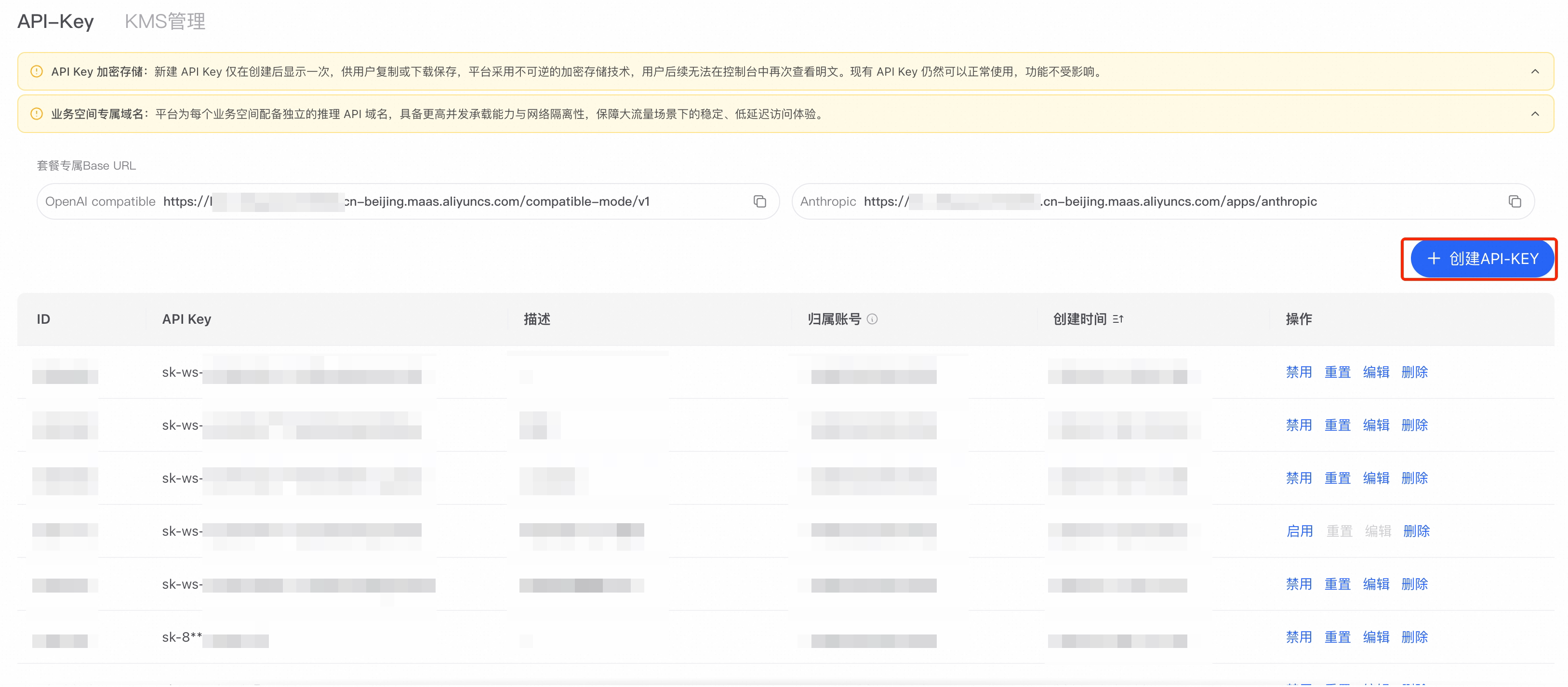
| Create an API Key | Create one on the Settings → API Key page; the format is a string starting with sk- |
| Prepare a Knowledge Base | At least one Knowledge Base whose documents are in the parsed state |
The API-Key page in the console: click Create API-KEY in the top right, then copy the key
Check the Runtime Environment
The Skill calls the retrieval API through local Python scripts, so Python 3 must be installed. Run the following in Terminal or Command Prompt:
Configure the API Key
The Skill reads the API Key from a system environment variable. Configure it once and it remains in effect. The procedure is the same for both clients.
- Windows
- macOS
- Search the Start menu for Edit the system environment variables and open it
- Click Environment Variables, then click New under User variables
- Set the name to
DASHSCOPE_API_KEYand the value to your API Key - Save, then restart the client
Install the Skill
The Skill package is named alibabacloud-bailian-rag-knowledgebase. Its source is in the aliyun/alibabacloud-aiops-skills repository under skills/aiml/sfm/alibabacloud-bailian-rag-knowledgebase.
QwenWork
QwenWork stores Skills under ~/.qwenworkcn/skills/. Two installation methods are supported.
Method 1: Install from a conversation (recommended)
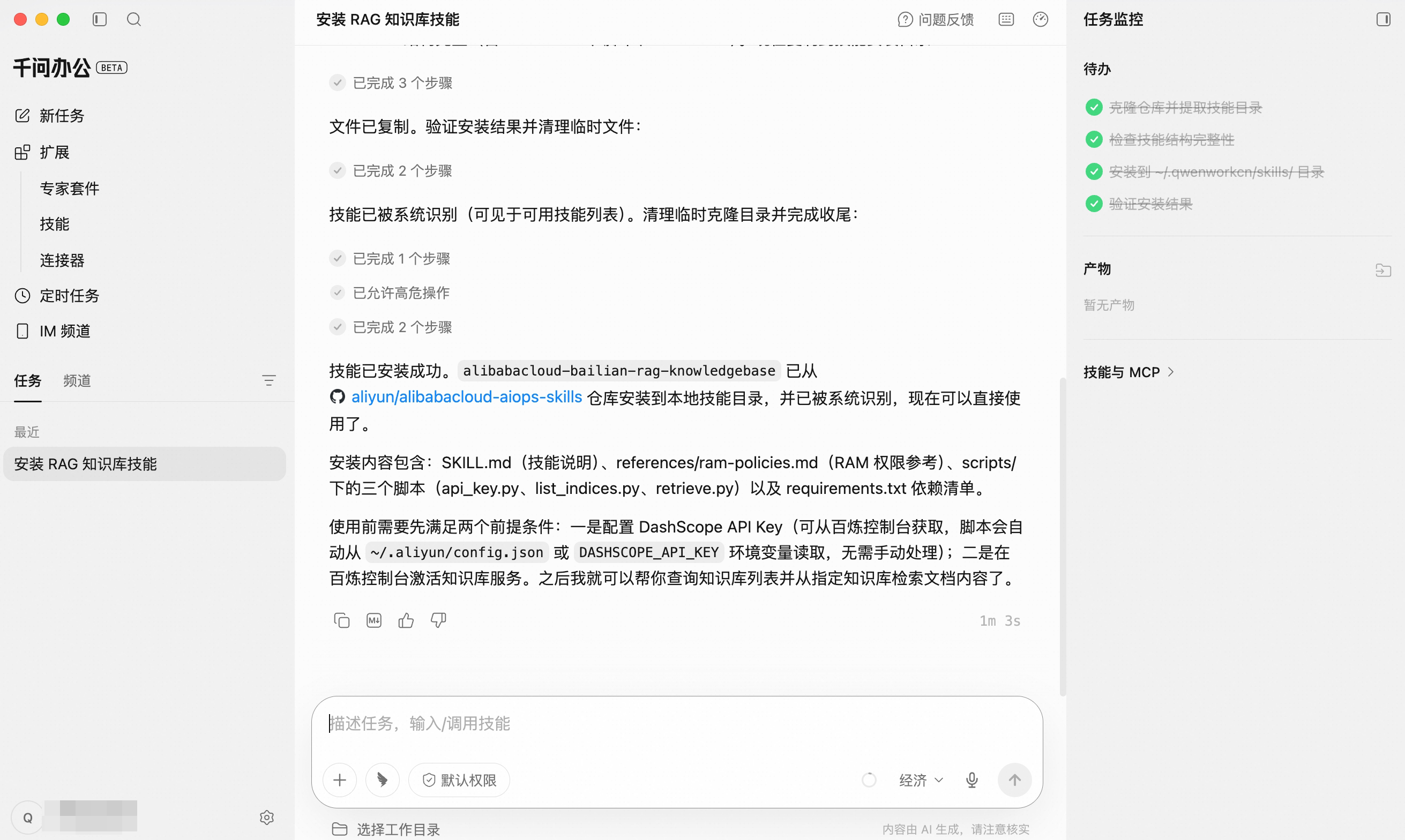
Send the following in the conversation box; QwenWork handles the download, placement, and loading automatically:
QwenWork clones the repository, validates the Skill structure, installs to ~/.qwenworkcn/skills/, and verifies the result
- Open the repository page and click Code → Download ZIP to get
alibabacloud-aiops-skills-master.zip - In QwenWork, click Extensions → Skills in the left navigation, then click + Add in the top right
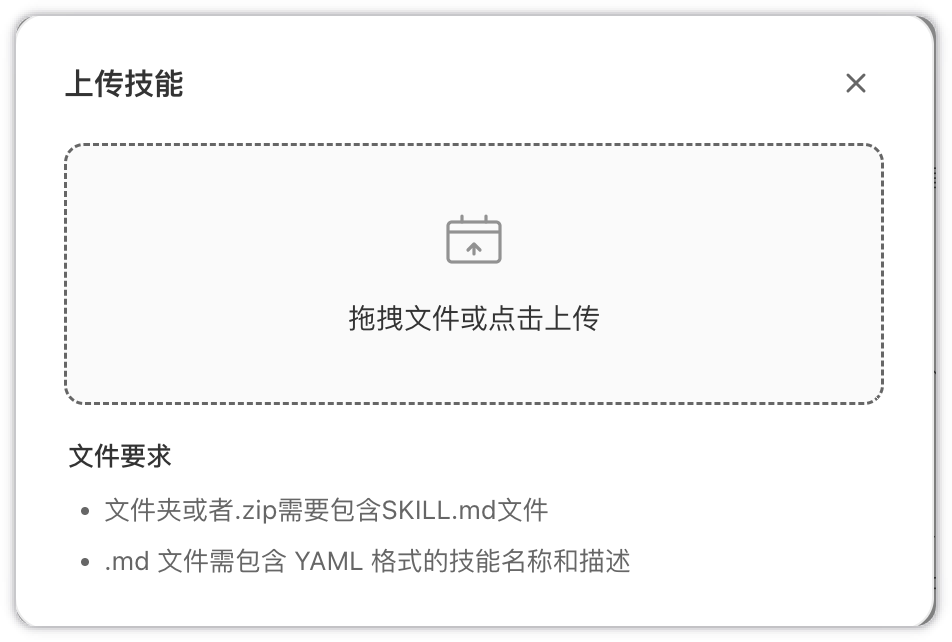
- In the install dialog, drag in or select that zip file and click Install
QwenWork Extensions → Skills → + Add in the top right: upload a zip that contains SKILL.md
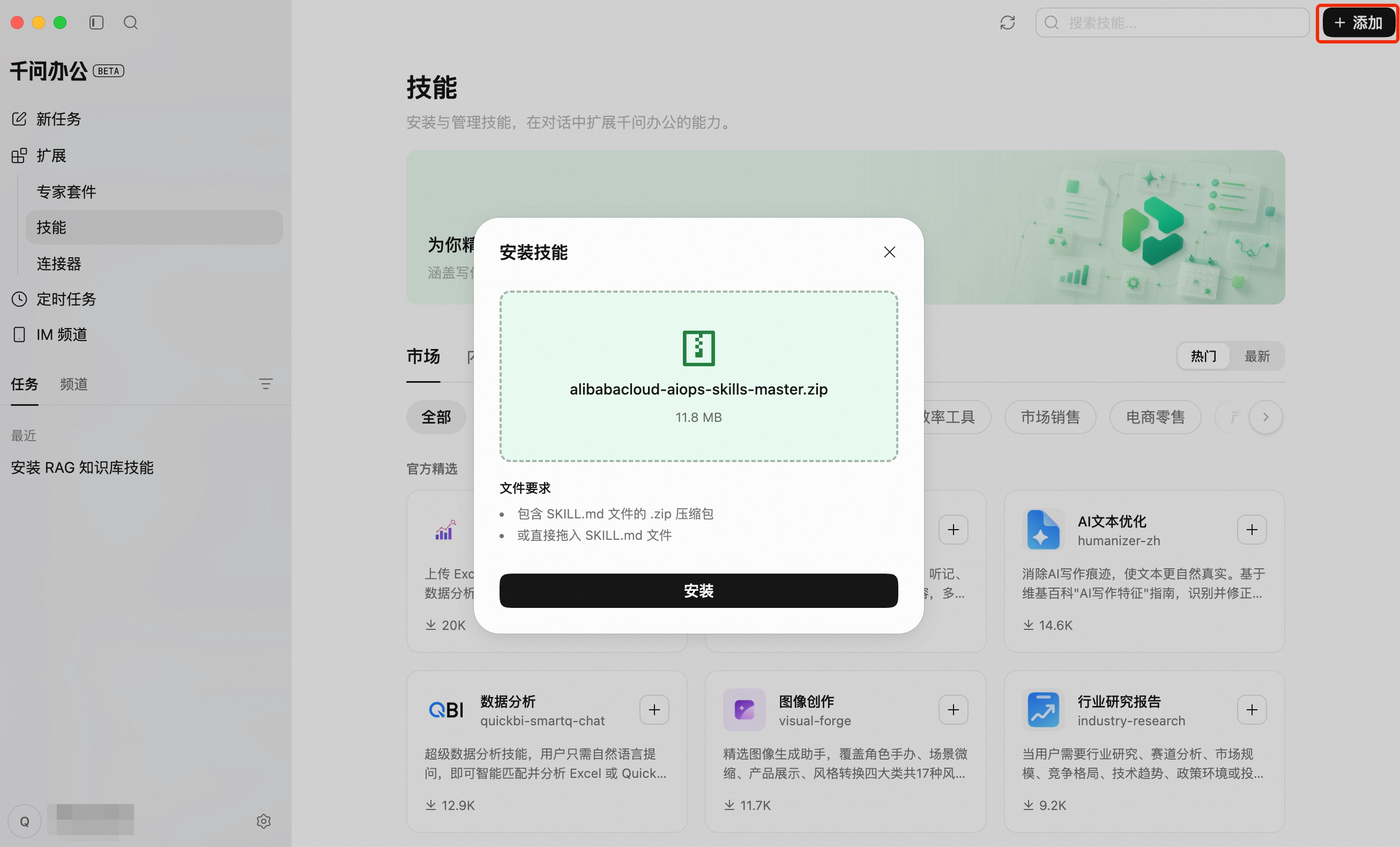
SKILL.md, or a single SKILL.md file dragged in directly. If the Skill isn't recognized after uploading the full repository zip, zip the skills/aiml/sfm/alibabacloud-bailian-rag-knowledgebase directory on its own and upload that instead.WorkBuddy
- Open aliyun/alibabacloud-aiops-skills, click Code → Download ZIP, and unzip it
- Take the
skills/aiml/sfm/alibabacloud-bailian-rag-knowledgebasedirectory - On the WorkBuddy Skills page, click + Add Skill and choose Upload Skill from the dropdown
- Drag in or select that directory to import it
WorkBuddy: click + Add Skill, then choose Upload Skill from the dropdown
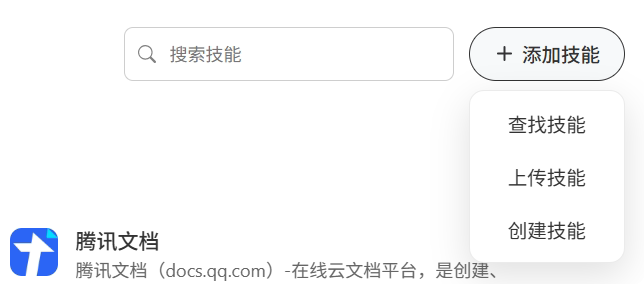
Upload Skill dialog: a folder or a zip is accepted, and it must contain SKILL.md
Verify the Installation
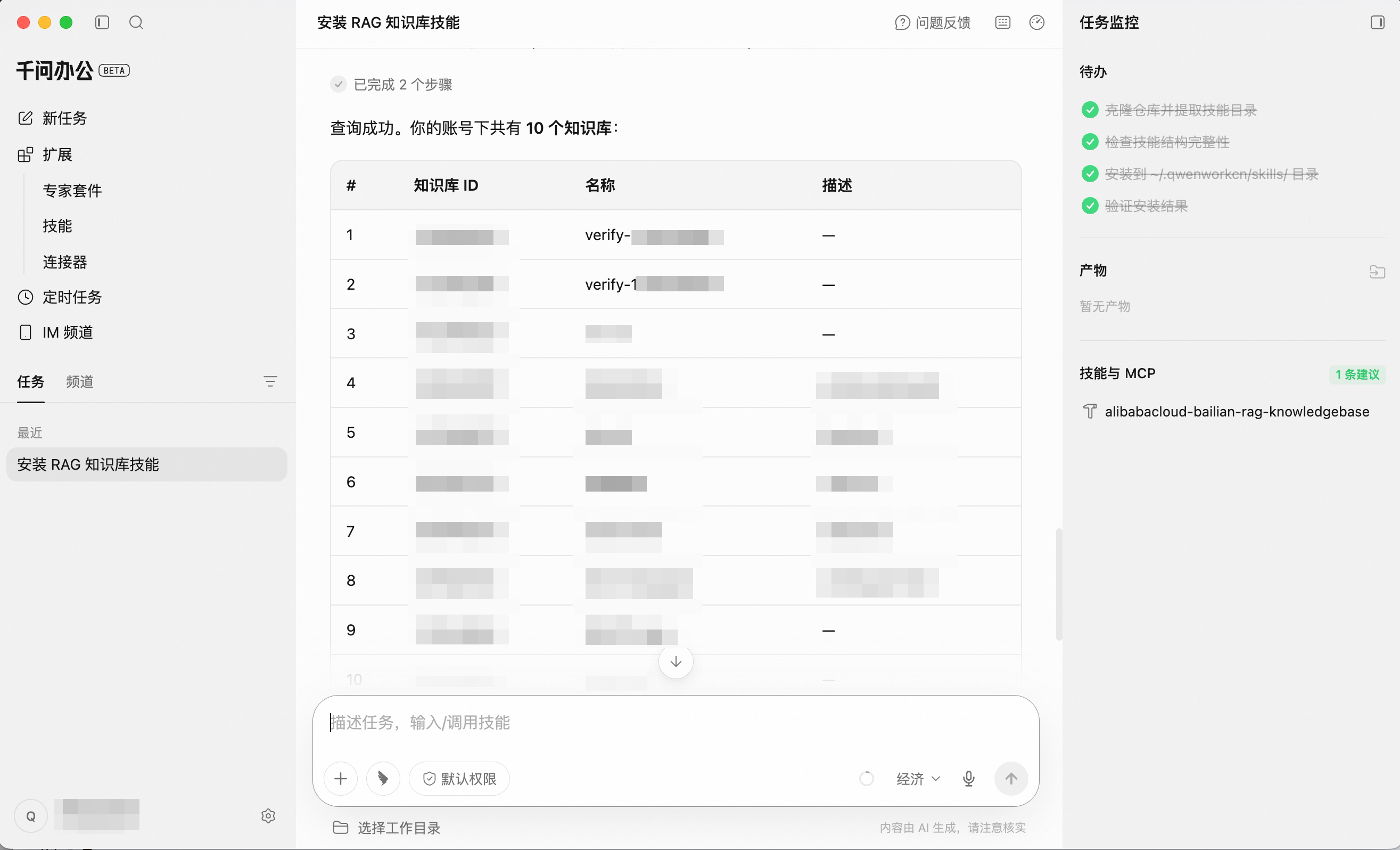
The client must be restarted before it loads the Skill. After restarting, send:
The reply lists Knowledge Base IDs, names, and descriptions; the invoked Skill is visible on the right
Capabilities and Example Prompts
| Capability | Example prompt |
|---|---|
| View available Knowledge Bases | List the Knowledge Bases under my account |
| Retrieve from a specific Knowledge Base | Search the Product Docs Knowledge Base for content about authentication methods |
| Q&A with automatic Knowledge Base selection | Which authentication methods does our product support? Check the Knowledge Base first |
| Retrieve across multiple Knowledge Bases | Search the Product Docs and Support FAQ Knowledge Bases for the refund policy |
| Require source attribution | Look up the travel expense standard and note which document and section it came from |
| Restrict answers to retrieved content | Answer this from the Knowledge Base; if nothing is found, say it cannot be confirmed and do not speculate |
Office Scenarios
Citing Official Wording in Written Material
Confirming Scope Before Replying to a Customer
Looking Up Company Policies
Troubleshooting
| Symptom | Cause | Resolution |
|---|---|---|
| The client reports no such Skill, or does not respond to the question | The client was not restarted after installation | Quit the client completely and reopen it. If it persists, confirm that SKILL.md exists in the Skill directory and that no extra parent directory is nested around it |
401 InvalidApiKey is returned | The environment variable did not take effect, or an sk-sp- key was used | Reconfigure the environment variable, confirm it starts with sk-, and restart the client |
403 Forbidden or a service-not-activated message | The Knowledge Base service is not activated | Click Activate Now on the Knowledge Base page and retry after one to two minutes |
| It answers but omits sources | The request did not ask for them | Add a requirement to cite the source document to your question |
| Content known to exist is not retrieved | The document is still being parsed, or the wording differs substantially from the document | Confirm in the console that the document status is parsed and adjust your wording. See also Improving Retrieval Quality |
Advanced Configuration
The steps above cover the standard installation for office users. For more flexible deployments, see the options below.
Using an MCP Connector
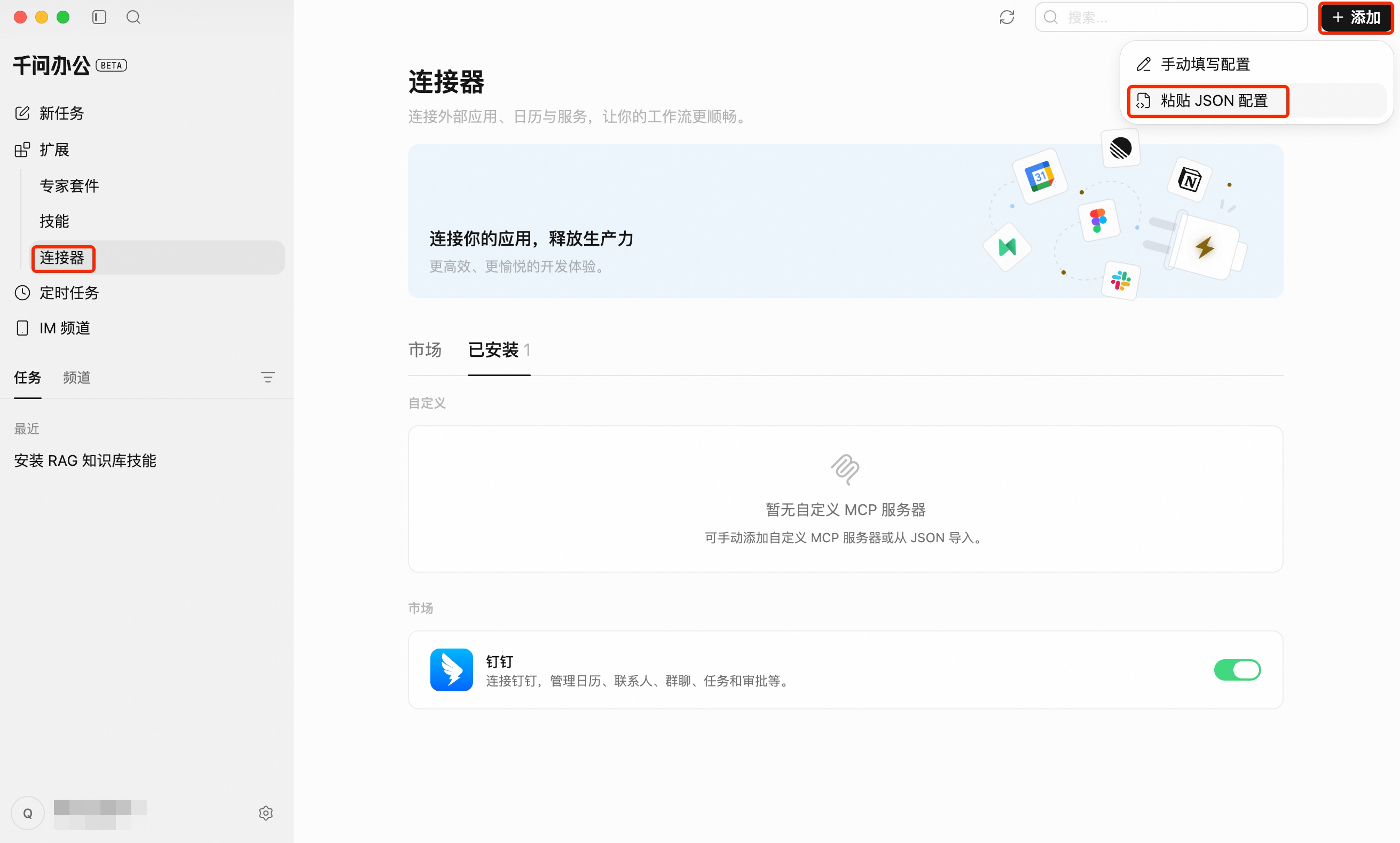
An MCP connector does not depend on a local Python environment; it requires only a service URL and an auth header. In QwenWork, paste the configuration under Extensions → Connectors → + Add. In WorkBuddy, write it to ~/.workbuddy/mcp.json, or open Plugins → MCP Servers → Configure MCP.
{workspaceId} is the workspace ID in your console address, in the form llm-xxxxxxxx. The type value is defined by each client: QwenWork uses streamable-http, while coding clients such as Qoder use streamableHttp. The service URL and auth header are the same in both cases. For the tools and their parameters, see Service Channels.
QwenWork Extensions → Connectors → + Add: choose either manual configuration or paste a JSON config
Installing on Multiple Devices
Fetch the Skill package with the CLI, then copy it into the client's Skill directory:
~/.workbuddy/skills/ is the path adopted by convention in the community and may not apply to every version. Verify it on a single device before wider deployment; otherwise use the interface upload method.